Automated time tracking

‍

Intuit's QuickBooks Online Payroll customers needed highly accurate, verifiable time data to power their automated payroll solutions.

‍

I led design for these features as part of a cross-functional team including PM and engineering from 0 → 1 from private beta through GA to all users within specific product SKUs.
‍

‍

Customer rating

This app features a 4.7/5 star rating on Capterra (opens in a new tab).

company
Intuit
timeline
1 year
Role
Senior Product Designer, design lead
Tools
Figma, Miro

Outcomes

  • 1 US patent approved for geolocation
  • 67% reduction in admin users editing of individual employee time entries
  • 45% of users selected automated clock-in
  • 60% of users selected automated clock-out
  • 4.7/5 Capterra rating

Context

As part of the Intuit QuickBooks ecosystem, time data enables many other workflows for users. Due to these downstream effects, time data must be both extremely easy for time tracking users to track and extremely accurate for payroll admins.

‍

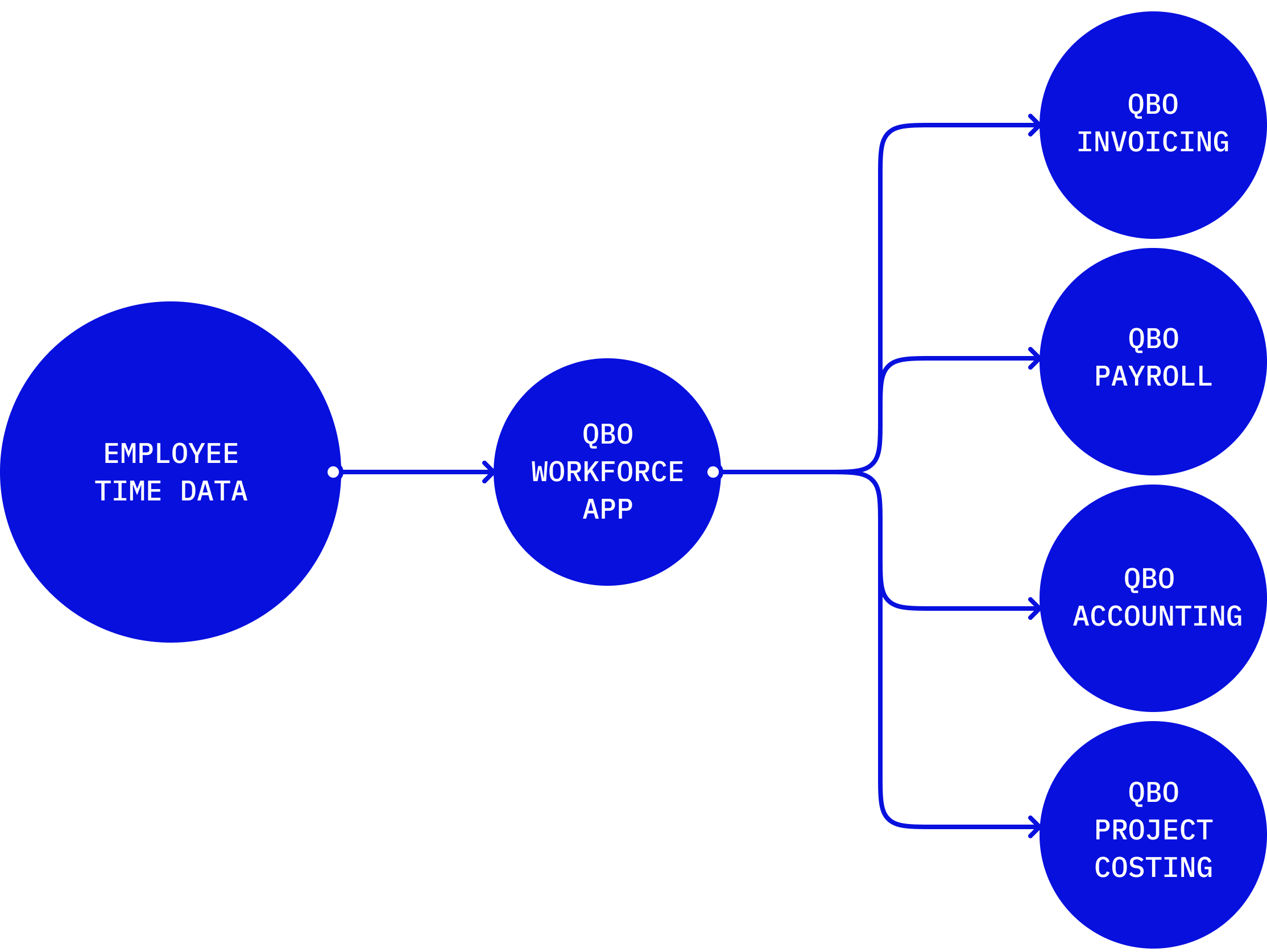
Time data flow across the ecosystem:

‍

Diagram: employee time data flows through QuickBooks Workforce into invoicing, payroll, accounting and project costing

Customer problem

Finding balance for conflicting personas and Jobs-To-Be-Done:

The admin

Needs accurate time data from employees to power payroll, fuel business insights such as profitability, and project progress, and more.

The employee

Often feel burdened by the documentation and oversight required to meet their employer’s time tracking needs.

Align and go

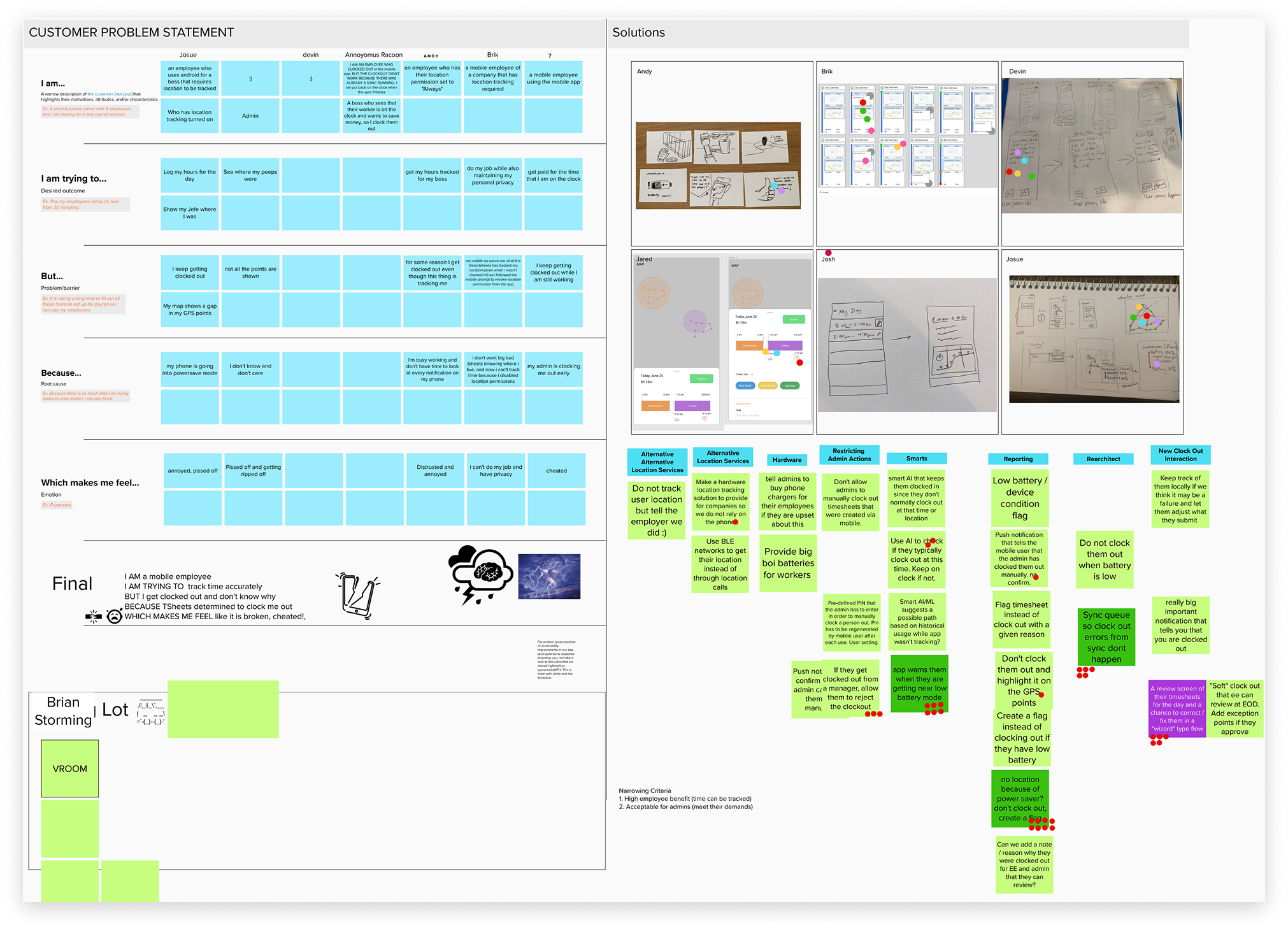
I led a series of design thinking workshops to go broad, then narrow, on customer problem definition, storyboarding solutions, and evaluating solution viability. This exercise provided the team and executive stakeholders with a solid understanding of the problem space, and allowed the team to easily identify opportunities for innovation and customer delight that aligned to the business' goals.
‍

Design workshop board with customer problem statements, storyboards and sticky-note ideas

Prototyping and iterating with customers

After validating initial prototypes with a small test cohort of customers, interactive prototypes were created to test at scale with online user testing:
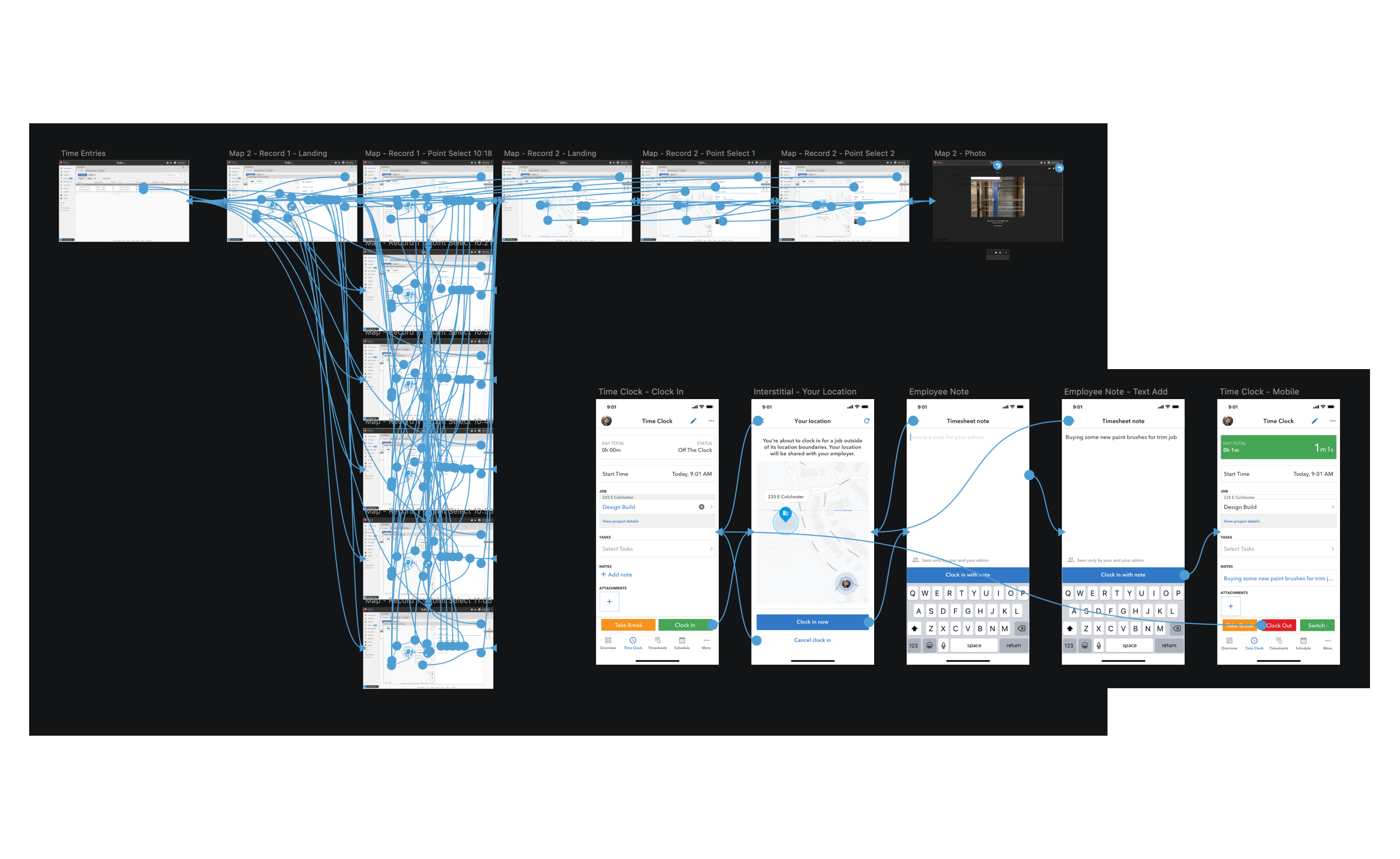
Prototype screens for GPS time tracking tested with customers

Shipping and learning

When the GPS time tracking feature rolled out to the product’s full user base, it contained numerous workflows, patterns, and components that our team wouldn't have discovered without the vital step of going beyond validating the designs and experimenting with our customers.

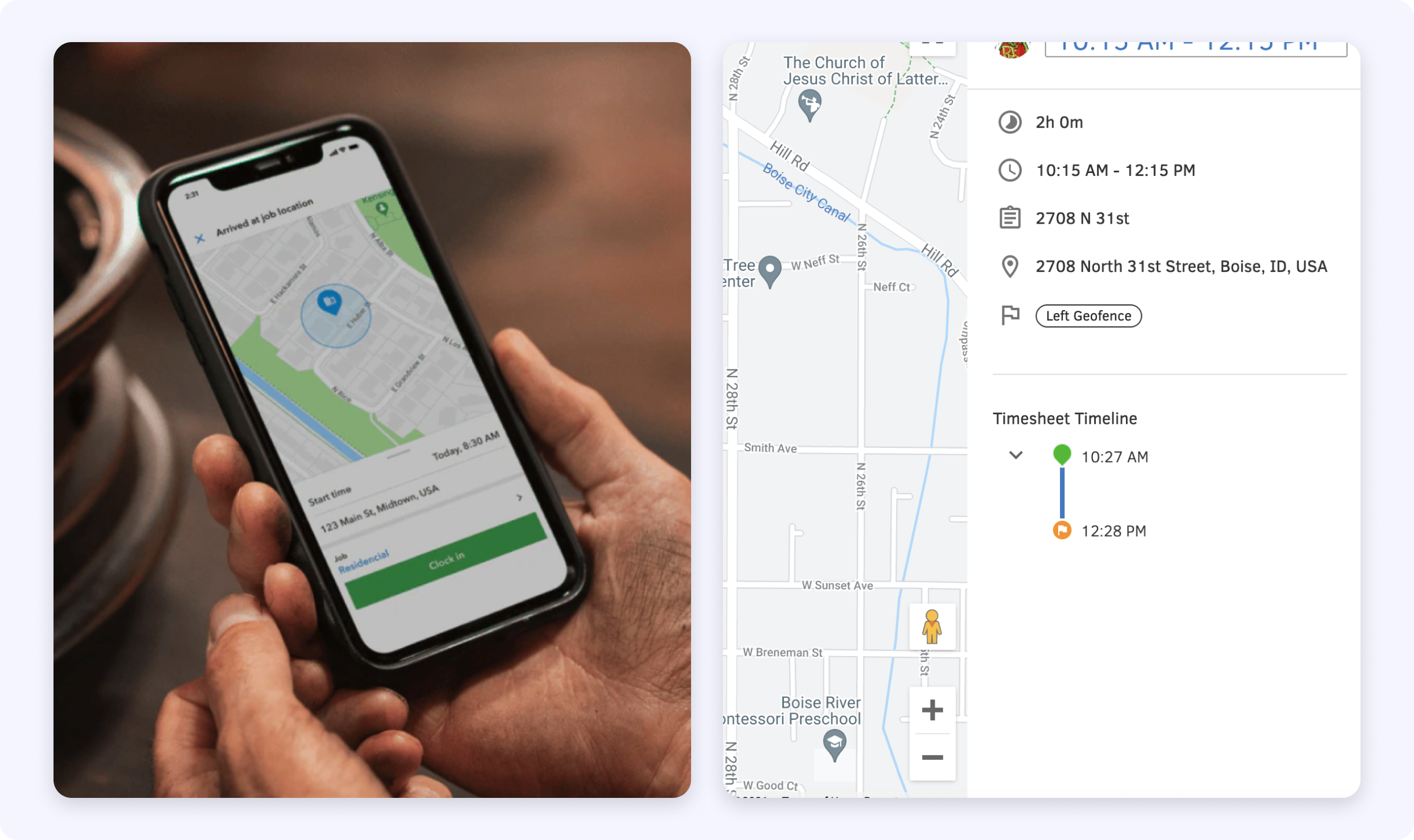
These ranged from flagging suspicious time entries for admins, so payroll can run accurately, to auto clock-in and clock-out for mobile users.
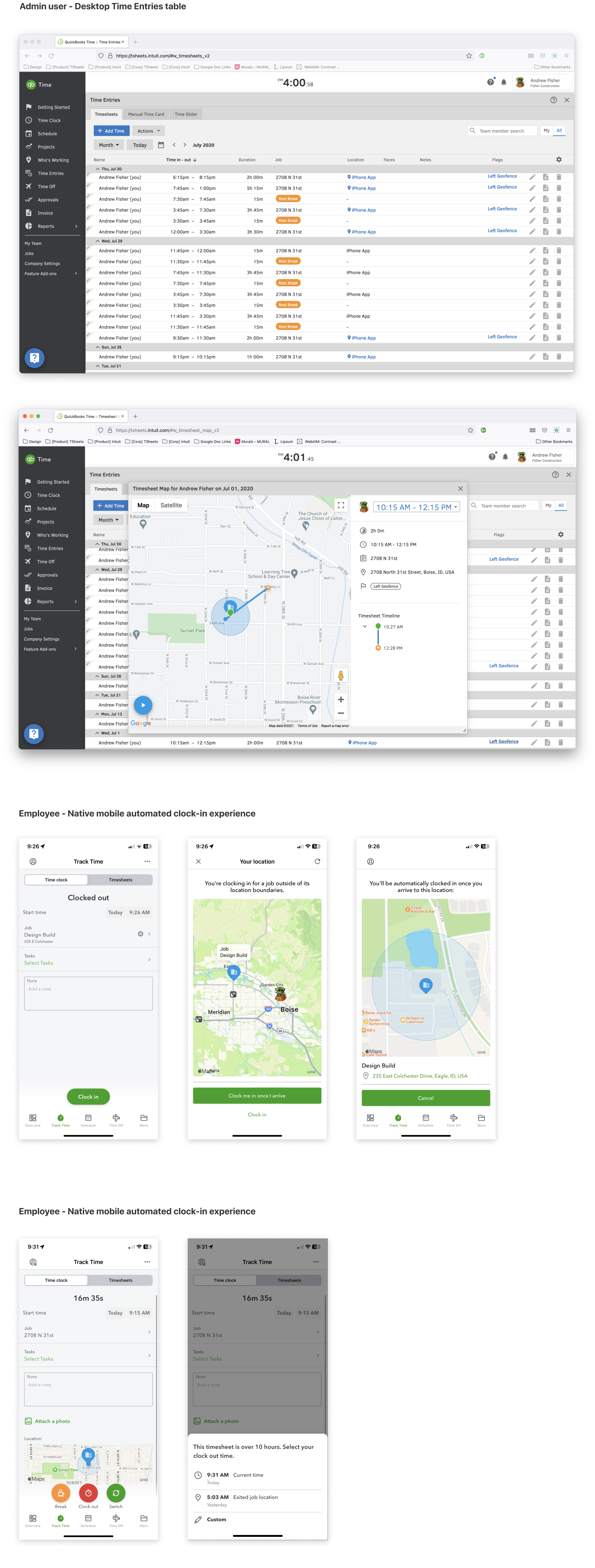
‍

Admin time entries table and timesheet map in QuickBooks Workforce on desktop

Keys to success & Learnings

  • Reducing friction for users through automated features provided a balance to maintaining privacy
  • Tradeoffs are more easily and quickly resolved for highly techincal 0 → 1 features by sharing and collaborating with engineering stakeholders early in the design process